mGBA

mGBA is a free, open-source Game Boy Advance emulator that aims to be faster and more accurate than existing GBA emulators. It supports Game Boy, Game Boy Color, and Game Boy Advance games across multiple platforms. Known for running at full speed even on low-end hardware, it offers features like save states, cheat codes, and link cable emulation.

windows linux mac

Gallery

About mGBA

mGBA stands as a testament to precision engineering in the world of retro gaming emulation. This open-source project, available under the Mozilla Public License 2.0, has evolved since its inception in 2013 to become one of the most accurate and feature-rich Game Boy Advance emulators available today. What sets mGBA apart from its contemporaries is its unwavering commitment to hardware accuracy while maintaining exceptional performance across diverse computing platforms. The emulator's architecture prioritizes speed without sacrificing fidelity, making it particularly noteworthy for its ability to run at full speed even on modest hardware configurations. This efficiency has made it a favorite among retro gaming enthusiasts who appreciate seamless gameplay without requiring powerful computers. Whether you're revisiting classics like Pokémon, The Legend of Zelda, or Fire Emblem, mGBA delivers an authentic experience that honors the original hardware's nuances. One of mGBA's most compelling attributes is its comprehensive feature set. The emulator supports multiple save state slots, allowing players to capture and restore game progress at any moment. The inclusion of cheat code compatibility with GameShark and Action Replay formats adds another layer of flexibility for those seeking to customize their gaming experience. Furthermore, the local link cable support enables multiplayer gaming just as it functioned on the original console. Beyond Game Boy Advance titles, mGBA extends compatibility to Game Boy and Game Boy Color games, offering a unified solution for Nintendo's handheld legacy. This versatility eliminates the need for multiple emulators, streamlining the retro gaming experience. The development team has also incorporated advanced features like a real-time clock, solar sensor support for Boktai games, and Game Boy Camera and Printer functionality. The technical sophistication of mGBA is evident in its debugging capabilities, which include a command-line interface and GDB remote support compatible with professional tools like Ghidra and IDA Pro. This makes it not only a gaming platform but also a valuable development environment for homebrew software creators. The availability of cores for RetroArch and OpenEmu further demonstrates its integration within the broader emulation ecosystem. Cross-platform compatibility remains a cornerstone of mGBA's design philosophy. The emulator functions across Windows, macOS, Linux, and even gaming consoles like the Nintendo 3DS, Switch, Wii, and PlayStation Vita. This extensive platform support ensures that users can enjoy their favorite GBA titles regardless of their preferred device. For those concerned with system requirements, mGBA proves remarkably accessible. The emulator operates on minimal hardware specifications, requiring only OpenGL 1.1 support for basic functionality, with OpenGL 3.2 enabling advanced visual features. This low barrier to entry has contributed significantly to its widespread adoption within the retro gaming community. The project's active development community continues to refine and expand capabilities, with planned features including networked multiplayer support, enhanced audio mixing, and comprehensive debugging suites. This commitment to ongoing improvement ensures that mGBA remains at the forefront of Game Boy Advance emulation technology. In conclusion, mGBA represents more than just a software application; it embodies a dedication to preserving gaming history while making it accessible to modern audiences. Its combination of accuracy, performance, and extensive feature set makes it an invaluable tool for both casual gamers and serious preservationists alike. Whether you're a longtime fan of Nintendo's handheld systems or discovering these classics for the first time, mGBA provides the definitive way to experience the golden age of portable gaming.
Features

Open-source and free
Highly accurate Game Boy Advance hardware support
Game Boy and Game Boy Color compatibility
Fast emulation on low-end hardware
Qt and SDL frontend options
Local link cable support
Save type detection
Motion sensor and rumble support
Real-time clock functionality
Solar sensor support
Game Boy Camera and Printer support
Built-in BIOS implementation
External BIOS file loading
Turbo fast-forward mode
Rewind functionality
Configurable frameskip
Screenshot capture
9 save state slots
Video and GIF recording
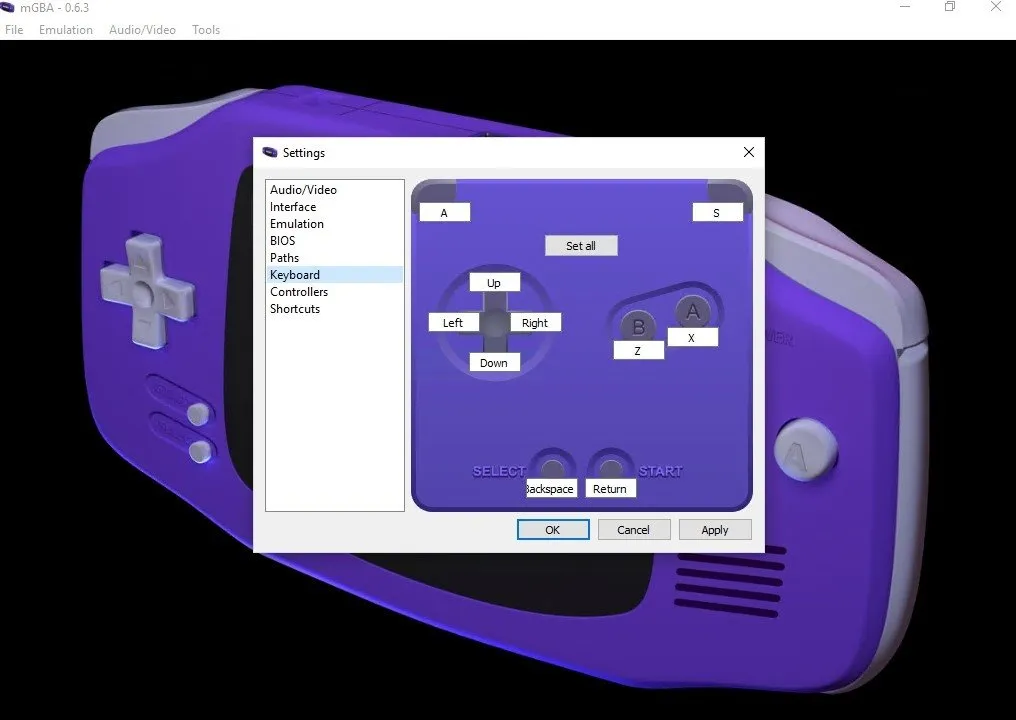
Remappable controls
ZIP and 7z file loading
IPS, UPS, and BPS patch support
Game debugging tools
GDB remote support
Configurable emulation rewinding
GameShark and Action Replay snapshot support
RetroArch and OpenEmu cores
Multi-language support
Cross-platform compatibility

System Requirements

Minimum Requirements

CPU

Any x86 processor (Intel/AMD)

Memory (RAM)

256 MB

Storage

50 MB free space

Write a Review

Reviews are moderated. Your review will be published after being approved by an administrator.

Have an account? Log in to post a review, or continue below with your name and email.

Share what you like or dislike about this emulator. Maximum 1000 characters.

Your email won't be published publicly.

Ratings & Reviews

No reviews yet

Be the first to review mGBA.

mGBA

Download mGBA

Get the latest version of mGBA and start using it right away.

Latest Version
0.10.5
Added
May 11, 2026
Download Now
13.8 MB
Free
Safe & Virus-Checked

Related Software

Dolphin logo

Dolphin

Dolphin is a free, open-source emulator that lets users play GameCube and Wii games on modern platforms like Windows, Linux, macOS, and Android. It enhances gaming with high-definition graphics, customizable controls, turbo speed, and online multiplayer, making it a top choice for retro gaming enthusiasts.

PCSX2 logo

PCSX2

PCSX2 is a free, open-source PlayStation 2 emulator for Windows, Linux, and macOS. It allows users to play PS2 games on PCs with enhanced graphics, save states, and customizable controls. Leveraging plugins and BIOS files, PCSX2 replicates the console’s hardware, offering improved resolution and performance. Popular among retro gamers, it preserves classic titles while modernizing the experience.

RPCS3 logo

RPCS3

RPCS3 is a free, open-source PlayStation 3 emulator enabling PC gamers to play PS3 titles on Windows, Linux, or macOS. It leverages advanced techniques like dynamic recompilation and Vulkan rendering to replicate the PS3’s complex Cell architecture. With growing compatibility, save states, and controller support, RPCS3 revitalizes classic games like Demon’s Souls and Persona 5 for modern hardware.

PPSSPP logo

PPSSPP

PPSSPP is a free, open-source PSP emulator enabling high-definition gameplay of PlayStation Portable games on PC, mobile, and consoles. It enhances graphics, supports save states, and offers cross-platform compatibility. Ideal for retro gaming enthusiasts, it revitalizes classic titles with modern features like controller support and multiplayer modes.

Yuzu logo

Yuzu

Yuzu is a free, open-source Nintendo Switch emulator for Windows, Linux, and Android. It enables users to play Switch games on non-Nintendo hardware with high compatibility and performance. Developed in C++, Yuzu supports resolution scaling, save states, and controller customization. Regular updates enhance game support and optimization, making it a leading choice for Switch emulation. Keywords: Nintendo Switch emulator, open-source, Yuzu, gaming, compatibility.